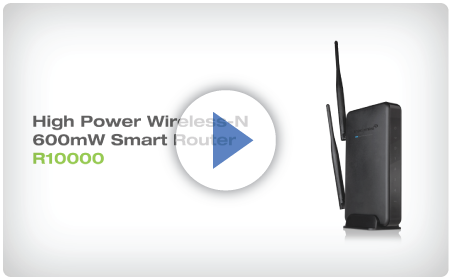
Share your broadband Internet connection and deliver extreme range wireless access
Browse the selections below to view support materials and troubleshooting tips. FAQs provide you with answers to frequently asked questions. The Download section provides you with firmware upgrades or device drivers and other related software. To view the User's Guide for your product check out the Documentation section. If you are having problems finding what you need, contact us.
Make sure your computer is connected to the High Power Router using the included Ethernet cable. Do not try to connect with a wireless connection. Ensure that the power on the High Power Router is on.
Check that your computer IS NOT connected to any wireless networks. If it is, disable your Wi-Fi connection and disconnect from all wireless networks. Reboot the router and try again.
Close your current web browser and reopen it. Use Google Chrome or Internet Explorer (v8.0 and up).
Open your web browser and enter 192.168.3.1 into the web address bar.
Reset the High Power Router to default settings by holding the Reset Button (located on the back panel) for ten (10) seconds and try again.
Check that you are using the right login and password. If this is your first time accessing the Web Menu, use the default login and password: (Login: admin, PW: admin).
If you forgot your login and password for the Web Menu, reset the High Power Router to default settings and try again. To reset the High Power Router to default: - On the back panel of the router find the Reset button. - Use a pen tip to hold down the reset button for 5 to 10 seconds. - The router will reinitialize and restore its default settings.
Check that you are using a supported web browser: Google Chrome, Internet Explorer (8.0 and up) and Safari. If you are using an unsupported web browser, such as Firefox, please change to one of the supported web browsers and try again.
Reset your modem by holding down the reset button located on the back of the modem for approximately five seconds. Try the automatic configuration again.
Go to the Status page and Release and Renew your IP address. To access the Status page, go to More Settings > Management > System Status.
Static IP: Your Internet connection may require a static IP setting. Check with your ISP to obtain the IP settings.
DSL Connections: Your Internet connection may require login information. If you are using PPPoE mode, you will need to manually configure your Internet connection settings and obtain your username and password.
Cable Modem: Your Internet connection may require you to clone your MAC address. Go to More Settings > IP Settings > Internet Network (WAN) and select Automatic/Dynamic (DHCP) from the drop down menu. Clone your PCs MAC address under the DNS settings.
Detach the power adapter and disconnect all computers from the High Power Router. Turn off the power to your modem and remove the backup battery (if available). Wait 2 minutes and power the modem back on. Wait 2 minutes for the modem to initialize. Power on the High Power Router and connect your computer to the router. Open your web browser and try to access the Internet.
Check that your Internet connection is working. Power off the High Power Router and disconnect your computer from the router. Turn off the power to your modem and remove the backup battery (if available). Wait 2 minutes and power the modem back on. Wait 2 minutes for the modem to initialize. Attach your computer directly to the modem and power on your computer. Open your web browser and check to see if you can go online. If you cannot go online, there may be a problem with your Internet provider. Please contact your Internet provider to troubleshoot your connection issues.
Power off your computer, the High Power Router and your modem. Power on your modem and wait 2 minutes. Power on the High Power Router and wait 1 minute for the router to initialize. Power on your computer and try again.
Check to see if other computers are also having this problem. If they are not, check to see if your anti-virus software or firewall software is conflicting with your Internet connection. You may also try temporarily disabling all firewalls or anti-virus software to see if that is what is causing the problem.
If you have a PPPoE or another Internet connection requiring login credentials, you may need to adjust the reconnection or time out settings. Go to the IP Settings > Internet Connection (WAN) page and configure your Internet connection to automatically reconnect.
If you are using Windows XP, check that your computer is using Service Pack 2 or greater. Windows XP users with Service Pack 1 may experience intermittent wireless connections.
Check with your Internet provider to ensure that they are not experiencing system wide issues.
Check with speedtest.net to see the speed of your Internet provider. Connect directly to your modem with your computer and check speedtest.net again. If the speed results are the same, the issue is with your Internet provider. Please contact your provider to troubleshoot the issue.
Check the Internet connection speed on another computer that is connected to the High Power Router. If the other computer does not have Internet speed problems, the networking equipment or operating system on your original computer may be outdated or may be experiencing problems. Viruses and other software may slow down a computer’s overall speed significantly.
If you are using a wireless connection to the High Power Router, check that your wireless signal strength is above 3 bars. If not, you may need to move closer to the High Power Router.
Check that your computer’s network adapter is enabled and is set to “Obtain IP Address Automatically.”
Release and Renew your IP Address on your computer. To do this on a Windows computer: - Click Start>Run and type CMD - When the command prompt appears, type ipconfig/release and press enter - Type ipconfig/renew and press enter - Check that your computer’s network adapter has an IP address of 192.168.3.x
Restart your computer and check again.
Restart the High Power Router and check again.
Make sure DHCP is enabled in the High Power Router’s Web Menu (Go to More Settings > IP Settings > Local Area Network (LAN) > DHCP Settings.
Check that your Firewall or Anti-Virus software is not preventing you from accessing shared devices on you network.
Step back at least 10 feet from the High Power Router and check your signal again. The High Power Router emits high power, long range Wi-Fi signals that may confuse your wireless adapter signal reading at close range. The speed and signal are at 100%, however your readout may not be displaying the data correctly.
Change the wireless channel on the High Power Router to 11 or 1 and try again. There may be interference in your installation environment.
Check to see that your antennas are secured tightly to the High Power Router.
Check if other computers are experiencing the same issue. If not, the wireless adapter in your computer may be experiencing problems or maybe older and have poor wireless performance.
Avoid placing the High Power Router near or around Microwaves and 2.4GHz wireless phones.
Avoid using wireless channels that are crowded. Change the wireless channel on the High Power Router.
Place the High Power Router in a higher location near the center of your desired coverage location.
Position the antennas on the High Power Router in opposite orientations.
Your wireless network adapter may be outdated and have older wireless technology not capable of achieving the wireless network speeds of the High Power Router. To achieve maximum wireless speeds, it is required that you have a 802.11n wireless adapter.
Check that you are using the latest Wi-Fi security type: WPA or WPA2 WEP security may slow down your wireless speeds.
Check that the High Power Router’s wireless data rate is set to auto or 11N data rate speeds.
Wireless speeds degrade as you get further away from the wireless router.
Check that the wireless channel set on the High Power Router is not crowded. Try changing the wireless channel to another channel and test the speed again.
Do not use Internet websites (i.e. speedtest.net or other websites) to test your wireless speeds. Speed test websites measure your Internet connection speed, which is controlled by your Internet provider. Wireless speeds are for your local network and not your Internet connection. To test wireless speeds, a local test or file transfer will be required to test the true wireless speed.
Manually add a wireless network to your Vista computer: - Click Start, and then click Network. - Select Network and Sharing Center. - Click Manage Wireless Networks. - Click Add and select Manually create a network profile. - Type in the SSID, and select the type of security and enter your security key. - Select “Start this connection Automatically” and click Next. - Go to Network and Sharing Center and select Manage Network Connections. - Right click Wireless Network Connection and then select Status. - Click details and check to see that your IPv4 IP address is correct (192.168.3.x).
Disable IEEE 802.1x authentication on your computer.
Make sure your computer has the latest Windows Service Pack. Windows Service Pack 1 does not support WPA security. Upgrade to the latest Service Pack to support the latest wireless encryption.
Manually add a wireless network to your XP computer.
Important: Before upgrading firmware, always save your current settings from the Save/Reload Settings page. To access from the web menu: More Settings > Management > Save/Reload Settings> Save Settings to File After the firmware updates, load your saved settings to keep your existing configurations.
Recent Updates
UI improvement.
Improved stability with AirPlay, AirPrint, and Home Sharing.
Reduced wait time between setting changes on the web interface
Specifications are subject to change without notice.
* Range specifications are based on performance test results. Actual performance may vary due to differences in operating environments, building materials and wireless obstructions. Performance may increase or decrease over the stated specification. Wireless coverage claims are used only as a reference and are not guaranteed as each wireless network is uniquely different. Maximum wireless signal rate derived from IEEE 802.11 standard specifications. Actual data throughput may vary as a result of network conditions and environmental factors. Output power specifications are based on the maximum possible radio output power plus antenna gain. May not work with non-standard Wi-Fi devices such as those with proprietary software or drivers. Supports all Wi-Fi standards that are compatible or backwards compatible with 802.11a/b/g/n/ac Wi-Fi standards.
For MU-MIMO to work, additional MU-MIMO capable devices must be connected to the network.
All transmission rates listed are the physical data rates. Actual data throughput will be lower and may depend on external factors as well as the combination of devices connected to the router. 802.11ac wireless speeds are achieved when connecting to other 802.11ac capable devices.
Wi-Fi, Wi-Fi Protected Setup, and WPA2 are either registered trademarks or trademarks of the Wi-Fi Alliance. Qualcomm is a trademark of QUALCOMM Incorporated, registered in the United States and other countries. Qualcomm MU|EFX and Qualcomm Internet Processor (IPQ) are products of Qualcomm Atheros, Inc.