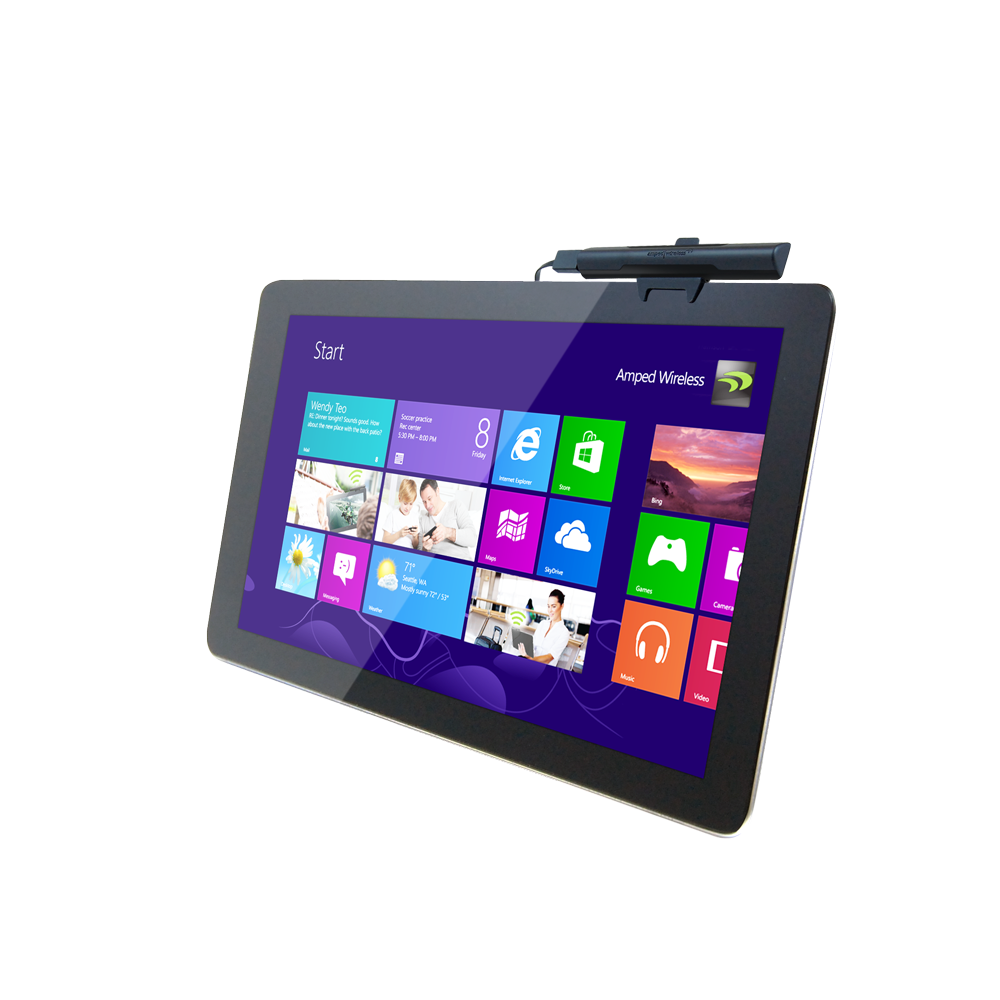
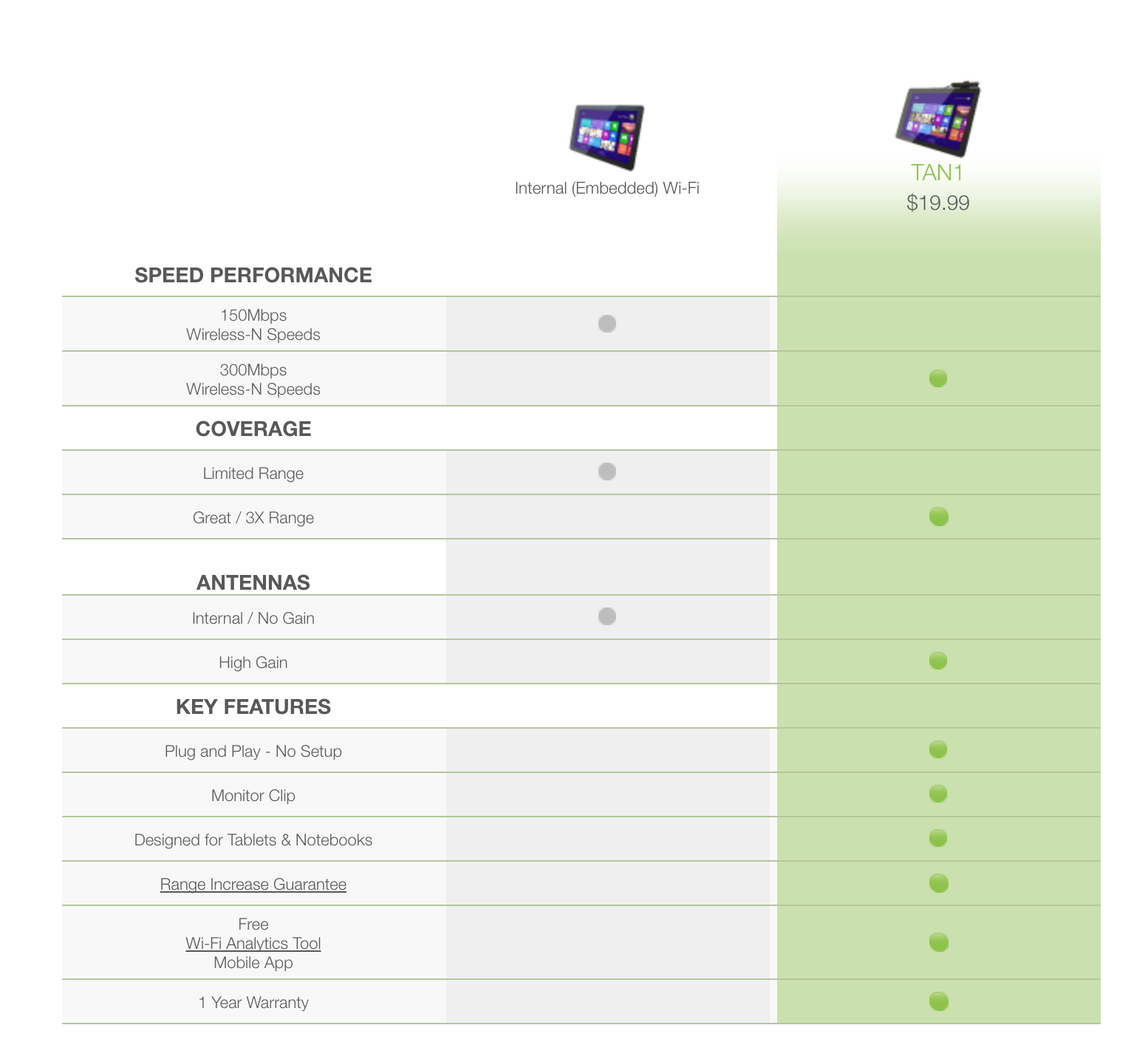
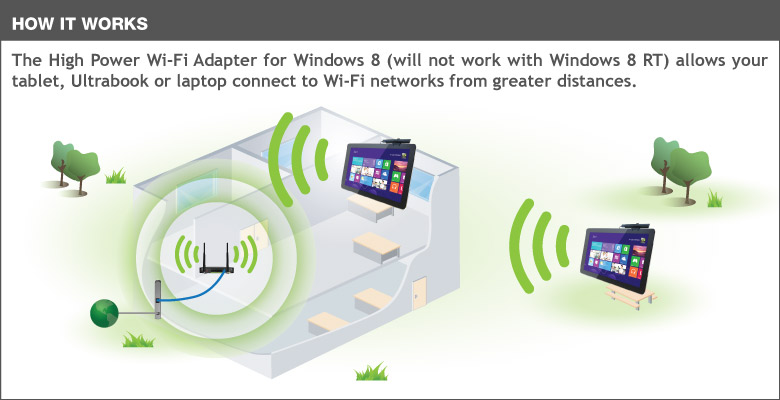
The Amped Wireless High Power Wi-Fi Adapter provides your Windows® 8 tablet, Ultrabook or laptop with up to 3 times more Wi-Fi range. The TAN1 is a high performance, versatile Wi-Fi adapter that enables your Windows 8 device to connect to Wi-Fi networks from greater distances while relaxing in your backyard, traveling through an airport or working at a coffee shop. Enjoy faster downloading, web browsing and buffer-free media streaming throughout your entire home or office with the High Power Wi-Fi Adapter. Standard Wi-Fi adapters do not use high gain antennas or amplifiers. In comparison, the TAN1 features two high gain antennas, two 600mW power amplifiers and wireless reception amplifiers for up to 12 times the power. Installation of the TAN1 is extremely easy. Simply fasten the Adapter onto your laptop or tablet screen using the included mounting clip (works with tablets with protective cases) and plug the USB cable into an available USB port. Windows will automatically configure the device and you're all set!
Works with Windows® 8 and Windows® 8 Pro. Not compatible with Windows® 8 RT, Android™ or Apple® iOS devices.
Boost the Wi-Fi Capabilities of your Windows® 8 Tablet, Ultrabook or Laptop
Use your tablet, Ultrabook or laptop throughout your entire home.
Connect to Wi-Fi networks easily while traveling.
Receive a strong connection while working at a local hotspot.
Key Features
Boost the Wi-Fi range of your Windows® 8 tablet, Ultrabook or laptop by up to 3X
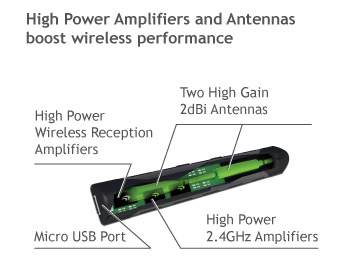
High power amplifiers and high gain antennas provide maximum range
Ultra Fast: 2.4GHz 300Mbps Wi-Fi speeds for transferring large files and HD media
Plug and Play Setup: No software required
Supports WPS push button configuration for one-touch setup
Small travel friendly size, fastens easily to your tablet, Ultrabook or laptop screen
Plug-and-Play Setup: No Software Required
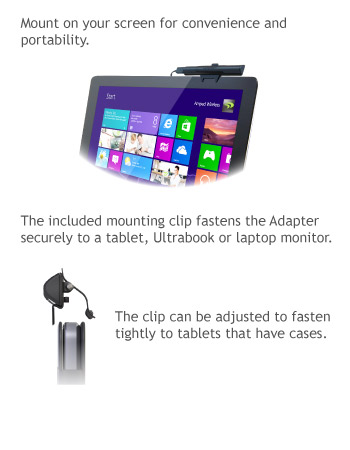
Mounting Clip
Amped Technology
Size Comparison
The Amped Wireless Difference
Specifications are subject to change without notice.
* Range specifications are based on performance test results. Actual performance may vary due to differences in operating environments, building materials and wireless obstructions. Performance may increase or decrease over the stated specification. Wireless coverage claims are used only as a reference and are not guaranteed as each wireless network is uniquely different. Maximum wireless signal rate derived from IEEE 802.11 standard specifications. Actual data throughput may vary as a result of network conditions and environmental factors. N300 wireless signal speeds achieved when connecting to other N300 or later 802.11n/ac devices. Output power specifications are based on the maximum possible radio output power plus antenna gain.
Wi-Fi, Wi-Fi Protected Setup, and WPA2 are either registered trademarks or trademarks of the Wi-Fi Alliance. Microsoft and Windows 8 are either registered trademarks or trademarks of Microsoft Corporation in the United States and/or other countries.
If the LED is not on, this means the adapter does not have power or is installed incorrectly. Verify that the adapter is firmly inserted into your USB port and try to scan for networks again.
Try plugging the USB adapter into a different USB port.
Unplug the USB adapter from the USB port and plug it back in firmly. Re-scan for wireless networks.
Unplug the USB adapter from your computer, restart the computer and try again.
Your antivirus program might be blocking new network connections. Disable your antivirus program and reinsert the USB adapter into your computer.
You may have a mismatch in your SSID or your wireless security key. Double check the security key that you are using for your current wireless connection. Double check that the name of the SSID is the correct name of the network you are trying to connect to.
The wireless router that you are connecting to may have lost its internet connection. If possible, check the connection between your router and the ISP.
Your antivirus program might be blocking new network connections. Disable your antivirus program and reinsert the USB adapter into your computer.
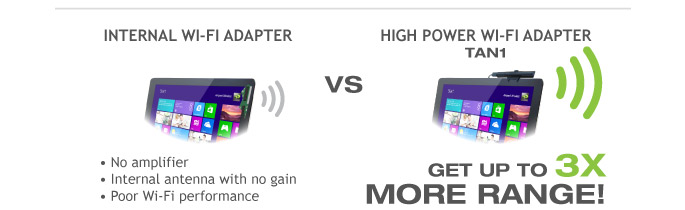
Boost the Wi-Fi Range of your Windows 8 Tablet, Ultrabook or Laptop Whether you're using a tablet, Ultrabook or laptop, the TAN1 attaches to an available USB port on your Windows 8 device and provides up to 3 times more Wi-Fi for connecting to your home Wi-Fi network or a Wi-Fi hotspot.
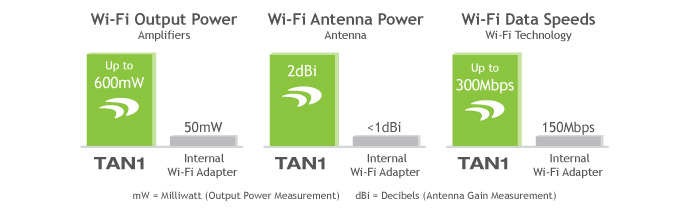
High Power = Increased Wi-Fi Range The High Power Wi-Fi Adapter for Windows 8 features dual high power 600mW amplifiers for boosting wireless transmissions, dual low noise amplifiers for improving wireless reception, and advanced high gain Wi-Fi antennas to provide maximum range and performance.
Plug and Play: Designed for Windows 8 The TAN1 is designed specifically for the Windows 8 operating system and requires no additional software. Simply plug the Adapter into your USB port and Windows will automatically configure the software. Scan for a network to connect to and you're done!
Fast Speeds for Media Intensive Applications MIMO and dual radio technology allow the High Power Wi-Fi Adapter to connect to Wi-Fi networks at blazing speeds. Great for transferring large data files quickly, ultra-fast web browsing and buffer-free HD streaming.
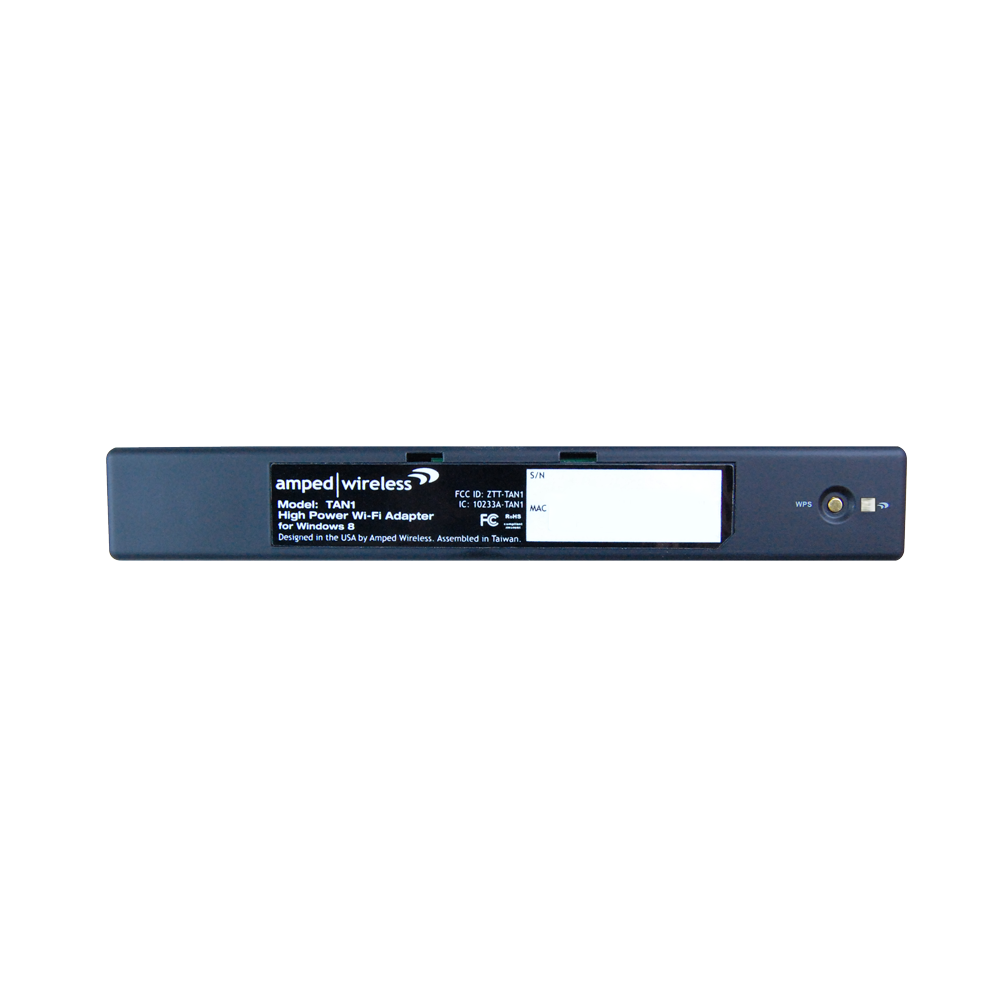
One-Touch Network Setup - WPS Support The TAN1 supports one-touch configuration to connect to your Wi-Fi network. Simply push the WPS button on your router and then on the Adapter. It's that easy!
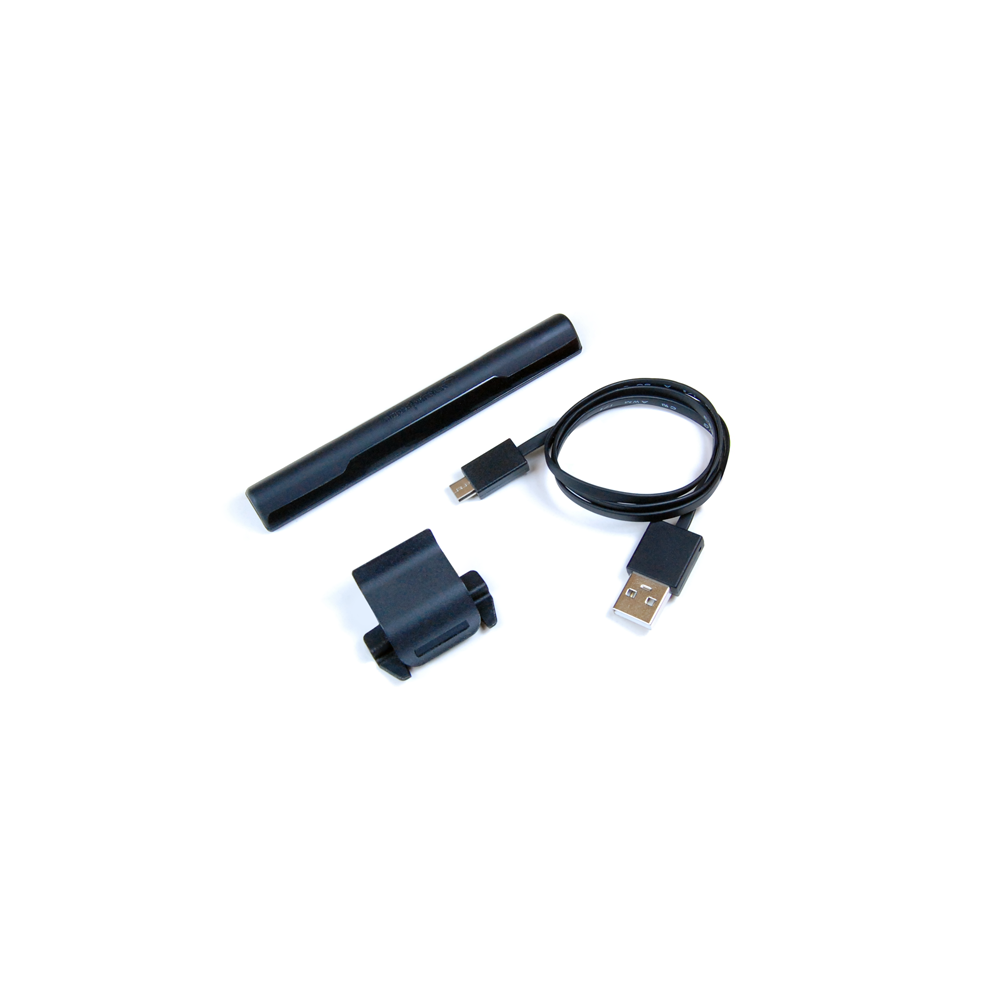
Fastens to your Screen The included adjustable mounting clip, fastens the TAN1 to your tablet, Ultrabook or laptop screen. It also works with tablets with protective cases.
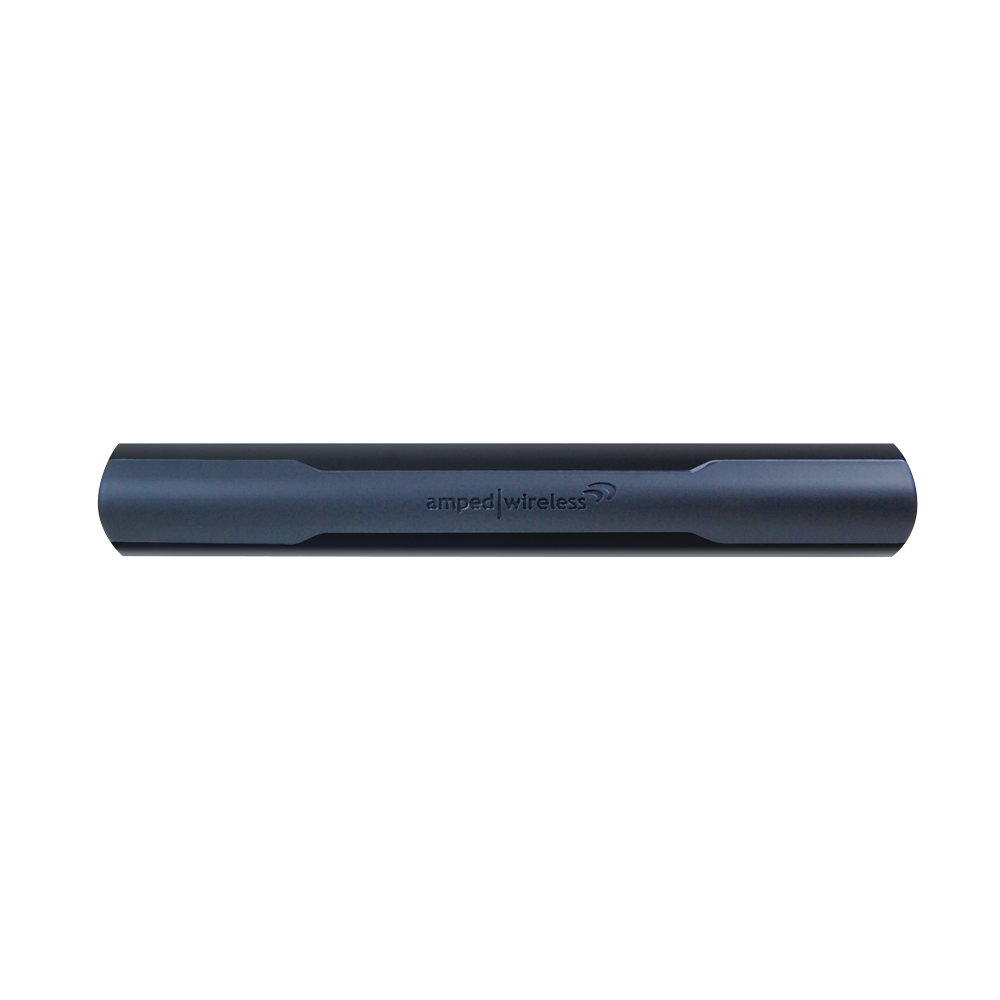
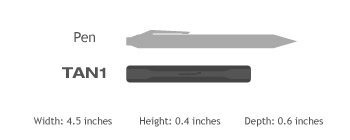
Sleek and Travel-Friendly With a size that's almost 40% smaller than the average pen, the TAN1 fits nicely into any travel bag or pocket for easy portability.
Specifications are subject to change without notice.
* Range specifications are based on performance test results. Actual performance may vary due to differences in operating environments, building materials and wireless obstructions. Performance may increase or decrease over the stated specification. Wireless coverage claims are used only as a reference and are not guaranteed as each wireless network is uniquely different. Maximum wireless signal rate derived from IEEE 802.11 standard specifications. Actual data throughput may vary as a result of network conditions and environmental factors. N300 wireless signal speeds achieved when connecting to other N300 or later 802.11n/ac devices. Output power specifications are based on the maximum possible radio output power plus antenna gain.
Wi-Fi, Wi-Fi Protected Setup, and WPA2 are either registered trademarks or trademarks of the Wi-Fi Alliance. Microsoft and Windows 8 are either registered trademarks or trademarks of Microsoft Corporation in the United States and/or other countries.
Increase the Wi-Fi Range for your Windows 8 tablet, Ultrabook or laptop*
Browse the selections below to view support materials and troubleshooting tips. FAQs provide you with answers to frequently asked questions. The Download section provides you with firmware upgrades or device drivers and other related software. To view the User's Guide for your product check out the Documentation section. If you are having problems finding what you need, contact us.
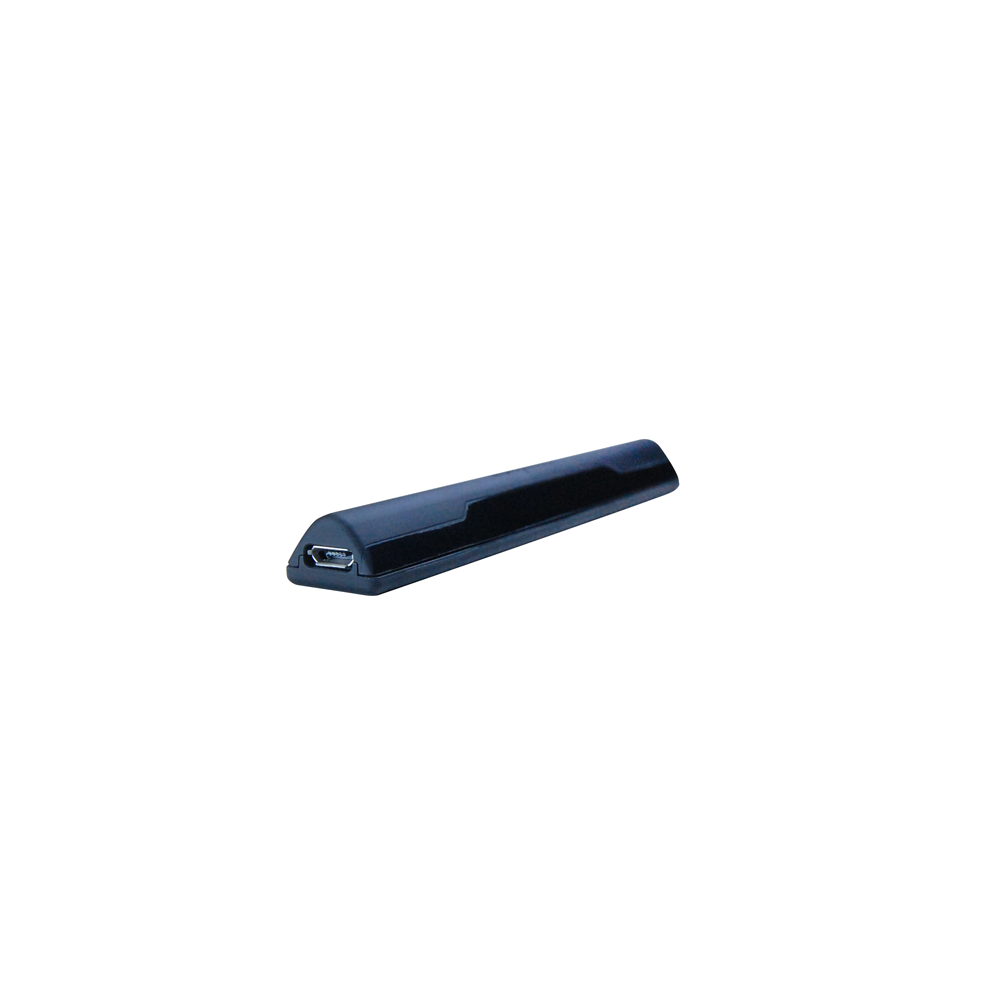
To Adapter: Micro USB 2.0 Port To PC: Standard USB 2.0 Connector
Interface:
USB 2.0
Warranty:
1 Year
Setup Requirements:
Available Wireless 2.4GHz 802.11b/g/n Network Windows® 8 or Windows® 8 Pro (32 or 64 bit) OS Not compatible with Windows® 8 RT, iOS (iPads®), or Android™ devices One available USB or Micro USB port
Package Contents:
1 x High Power Wi-Fi Adapter for Windows® 8 1 x USB 2.0 Cable 1 x Setup Guide 1 x CD: User’s Guide and Software 1 x Monitor Mounting Clip
Connect to Wi-Fi networks from greater distances while travelling or at home
High Power Amplifiers & Antennas provide wall penetrating Wi-Fi performance
Fastens to the screen of any laptop or tablet (works with tablets with protective cases)
Plug-and-Play: Designed specifically for Windows 8 or Windows 8 Pro. No software required. Not compatible with Windows 8 RT.
Specifications are subject to change without notice. * Range specifications are based on performance test results. Actual performance may vary due to differences in operating environments, building materials and wireless obstructions. Performance may increase or decrease over the stated specification. Wireless coverage claims are used only as a reference and are not guaranteed as each wireless network is uniquely different.












 The Amped Wireless High Power Wi-Fi Adapter provides your Windows



 Boost the Wi-Fi range of your Windows
 High power amplifiers and high gain antennas provide maximum range
 Ultra Fast: 2.4GHz 300Mbps Wi-Fi speeds for transferring large files and HD media
 Plug and Play Setup: No software required
 Supports WPS push button configuration for one-touch setup
  Small travel friendly size, fastens easily to your tablet, Ultrabook or laptop screen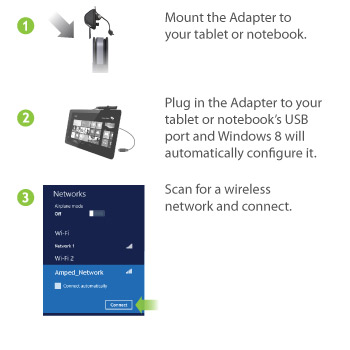
 Boost the Wi-Fi Range of your Windows 8 Tablet, Ultrabook or Laptop
 High Power = Increased Wi-Fi Range
 Plug and Play: Designed for Windows 8
 Fast Speeds for Media Intensive Applications
 One-Touch Network Setup - WPS Support
 Fastens to your Screen
 Sleek and Travel-Friendly